Nyalma Cerberus

Installation docs

Install Cerberus as a self-hosted Check Point governance workspace.

Use the public docs to understand the deployment shape, then use the customer portal for the current installer bundle, verification material, and issued license. The running deployment stays inside your environment.

1. Download through the portal

  • Create or sign in with a Free account before downloading Cerberus.
  • Use the portal release record for the installer bundle, checksum, signatures, SBOMs, and release notes.
  • Avoid bookmarking direct object-storage URLs; the portal is the source of account-gated release access.
2. Verify and stage

  • Verify the downloaded bundle against the matching checksum before rollout.
  • Use detached signatures and SBOMs from the portal when they are published for the release.
  • Record the version and checksum you approved in your own change process.

3. Run the installer locally

  • The installer prepares the self-hosted runtime, database migrations, production flags, and first local admin flow.
  • Use a controlled staging environment before production where feasible.
  • Keep backups, rollback planning, and firewall change approval inside your own operations process.

4. Connect Check Point

  • Create a connector instance for the Check Point Management API endpoint.
  • Use API keys where possible, configure domain context for MDS, and decide how TLS trust should be handled.
  • Choose whether direct admin edits are allowed or staged for approval by a user, role, or team.

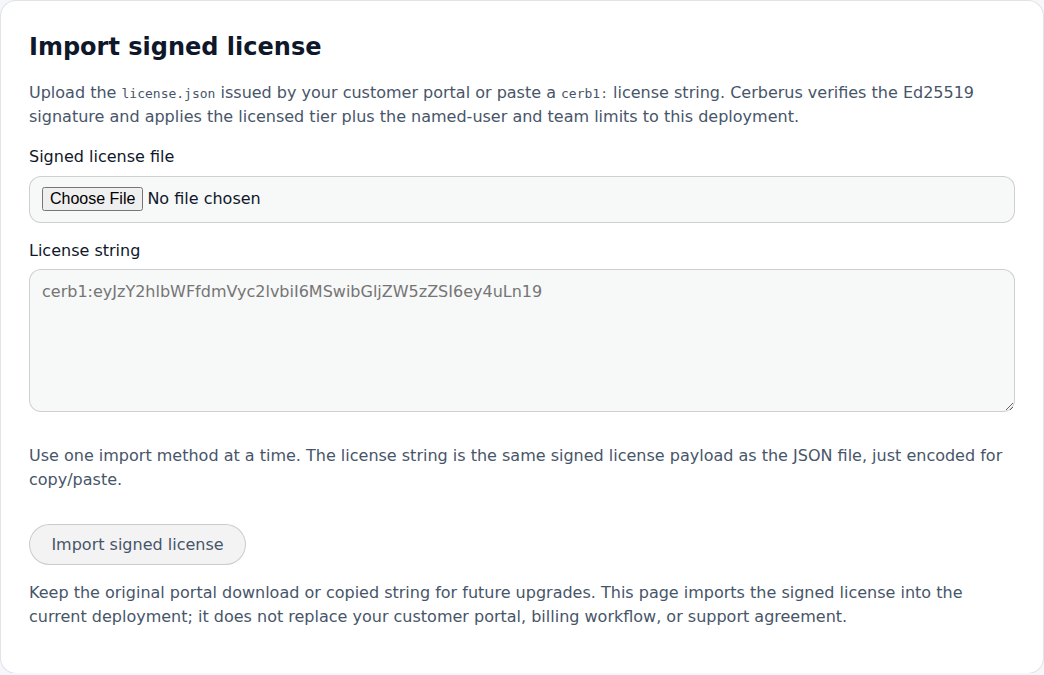
5. Import the issued license

  • Open Platform > Licensing in Cerberus after first login.
  • Upload the portal-issued `license.json` or paste the matching `cerb1:` string.
  • Cerberus verifies the signed payload locally and enforces named-user, team, and deployment limits.

6. Operate without phone-home

  • The portal supports downloads, account access, release notes, license retrieval, and support records.
  • The installed Cerberus deployment verifies already issued license material locally.
  • Day-to-day rulebase governance does not need the portal in the runtime path.
Cerberus license import form for license.json and cerb1 strings
License import happens inside CerberusThe portal issues the material. The installed deployment imports and validates it locally.
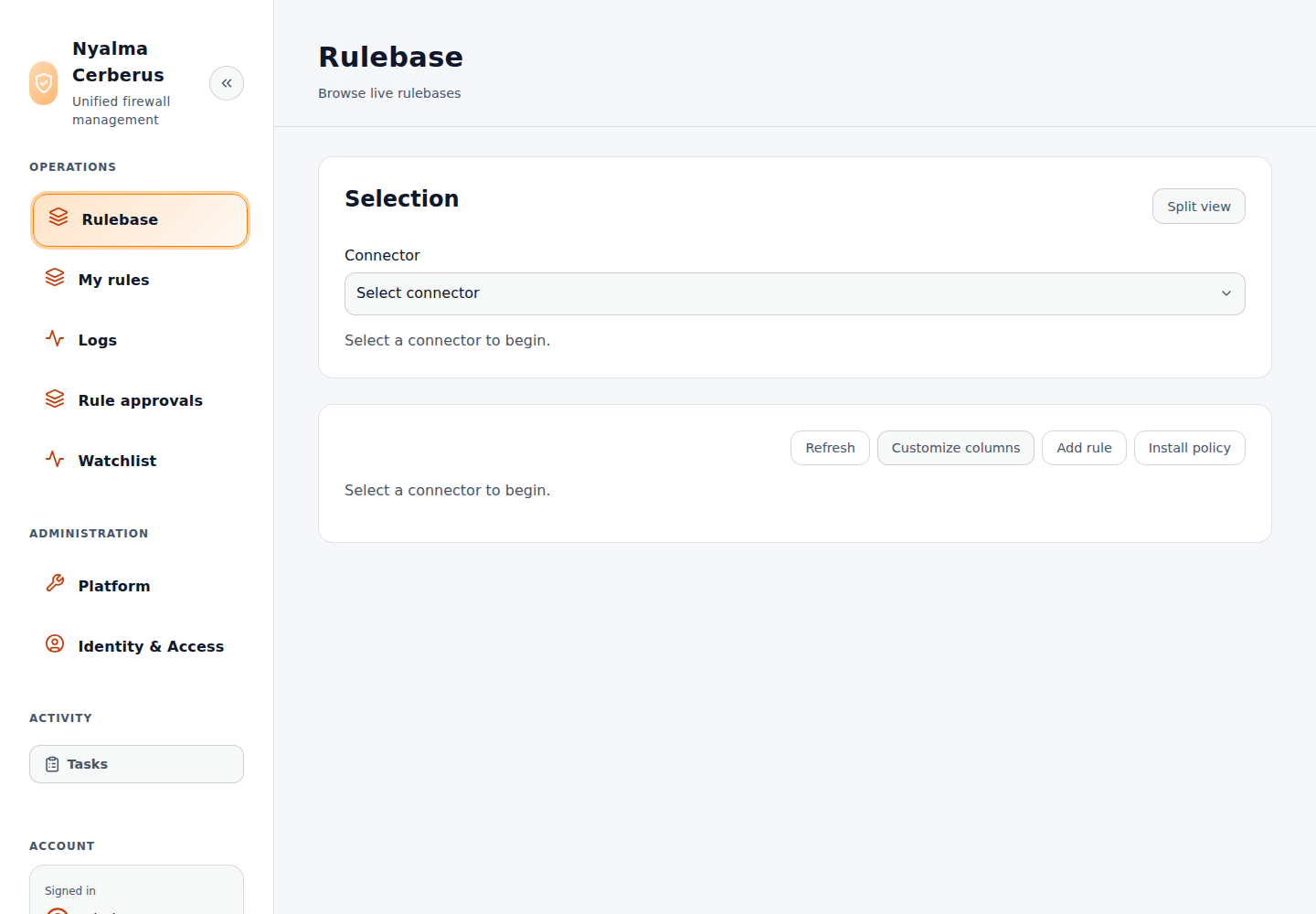
Cerberus Rulebase workspace waiting for a connector selection
Connectors unlock the operational workspaceAfter Check Point is configured, operators can browse packages, layers, rules, and allowed actions.